In today’s world, a reliable internet connection isn’t just a luxury—it’s a necessity. Whether it’s for working from home, streaming your favorite shows, or staying connected with friends and family, having a dependable internet service is essential. Traditional cable internet can be expensive, slow in some areas, or come with frustrating data caps. That’s where TMobile Home Internet comes in—a modern alternative that aims to offer fast, affordable, and hassle-free internet using T-Mobile’s 5G and LTE networks.
What Is T-Mobile Home Internet?
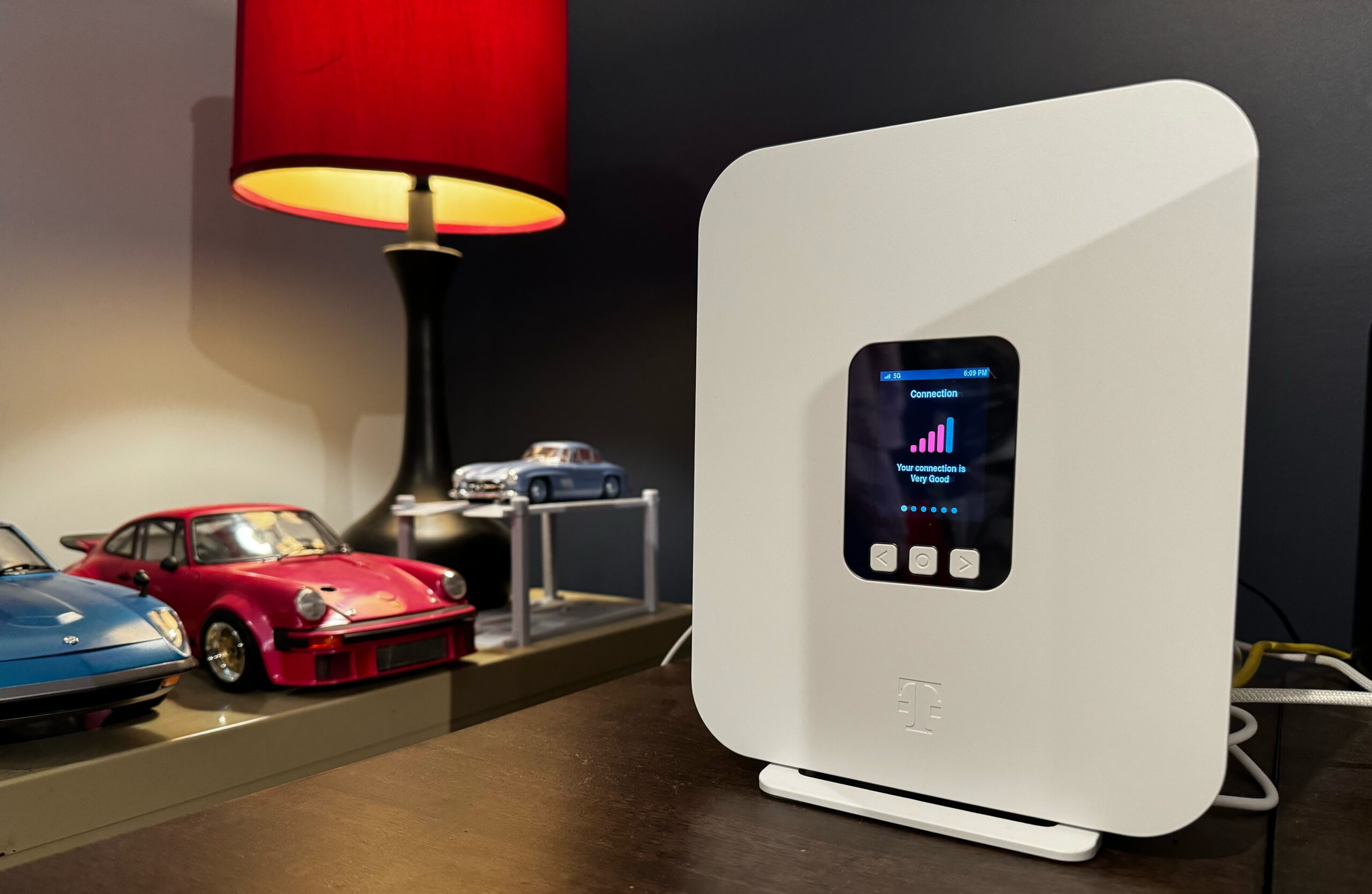
T-Mobile Home Internet is a home internet service launched nationwide in 2021. Unlike traditional cable or fiber internet, it doesn’t rely on physical lines running into your home. Instead, it uses T-Mobile’s 5G and LTE cellular networks to deliver internet directly to a gateway device provided by T-Mobile.
This service is designed to be simple and flexible. There’s no long-term contract, no hidden fees, and no equipment rentals. You simply receive a gateway device, plug it in, and connect your devices to Wi-Fi.
Why People Are Choosing T-Mobile Home Internet
Many people are switching to T-Mobile Home Internet for a few key reasons:
- Affordability: Plans are cheaper compared to traditional cable or fiber internet.
- Simplicity: No contracts or complicated billing structures.
- Unlimited Data: Surf, stream, and work online without worrying about caps.
- Quick Setup: The gateway device is easy to set up, and you can start using the internet in minutes.
T-Mobile Home Internet Pricing Plans
When T-Mobile first launched its home internet service, it offered a single, simple plan. Today, there are multiple plans to fit different households’ needs.
1. T-Mobile Rely Plan
- Price: $45/month, $35/month if you have a T-Mobile voice line, $40/month with autopay.
- Features: Unlimited data, basic 5G gateway, five-year price lock.
- Best For: Casual users who just need a reliable connection for browsing, streaming, and light work.
2. T-Mobile Amplified Plan
- Price: $65/month, $60/month with autopay.
- Features: Unlimited data, higher-performing 5G gateway, enhanced security through the T-Life app.
- Best For: Families or households with multiple devices needing consistent speeds and added cybersecurity.
3. T-Mobile “All-In” Internet Plan
- Price: $75/month, $70/month with autopay.
- Features: Same gateway as Amplified Plan, Wi-Fi extender for larger coverage, cybersecurity tools, 24/7 video support, Hulu and Paramount+ access included.
- Best For: Heavy internet users, streaming households, and anyone needing robust coverage in a larger home.
Tips for Saving
- If you’re already a T-Mobile wireless customer, you can get discounts.
- Set up autopay to save an additional $5/month.
- Take advantage of T-Mobile’s five-year price guarantee to lock in your plan and avoid surprises.
Speeds and Performance of T-Mobile Home Internet
One of the most common questions about T-Mobile Home Internet is: “How fast is it?”
T-Mobile advertises average download speeds of 250 Mbps, with actual speeds typically ranging from 87 Mbps to 318 Mbps depending on your location, time of day, and network congestion. Upload speeds average around 35 Mbps.
Here’s what you can expect:
- Metro Areas: Speeds are usually closer to advertised averages (200-300 Mbps).
- Rural Areas: Speeds can be lower due to fewer towers and network congestion.
- Peak Times: Internet might slow down in the evenings when more people are online.
Even with these variables, most households find T-Mobile Home Internet more than sufficient for browsing, streaming, video calls, and casual gaming.
Setting Up T-Mobile Home Internet
One of the best parts of T-Mobile Home Internet is how easy it is to set up. You don’t need to wait for a technician or deal with complicated wiring. Here’s a step-by-step guide:
1 Step: Order Your Gateway
- Go to the T-Mobile website and check if T-Mobile Home Internet is available in your area.
- Select the plan that fits your needs and place your order.
2 Step: Place the Gateway Device
- Once the gateway arrives, find a spot in your home with the strongest signal. Typically, a window facing a T-Mobile tower is best.
- Plug in the device and wait for it to power up.
3 Step: Connect Your Devices
- Look for the Wi-Fi network name and password provided with your gateway.
- Connect your computer, smartphone, or other devices.
- You can also use the T-Mobile Home Internet app to guide you to the optimal placement for your gateway.
4 Step: Optimize Your Network
- Consider using a Wi-Fi extender if your home has thick walls or multiple floors.
- Place your devices in central locations to avoid dead spots.
- Reboot the gateway if you experience minor connectivity issues.
Availability and Coverage
T-Mobile Home Internet is available in all 50 states, but coverage depends on your specific address. Generally, the service is strongest in large and mid-sized cities. Rural households may have access, but speeds can vary depending on network congestion and tower proximity.
T-Mobile continues to expand coverage and improve 5G networks. Currently, over 50 million households are eligible for the service nationwide.
Pros and Cons of T-Mobile Home Internet
Like any internet service, T-Mobile Home Internet has its advantages and some drawbacks.
Pros:
- Affordable monthly pricing with no hidden fees.
- Unlimited data with no caps or throttling.
- No annual contracts—switch plans or providers anytime.
- Easy setup without waiting for installation appointments.
- Flexible placement of the gateway device for optimal signal.
Cons:
- Speeds can be inconsistent, especially during peak hours.
- Network coverage may be limited in some rural areas.
- Advanced network features like VPN or port forwarding may have limitations.
- Heavy gamers or households relying on high-performance internet may notice lower performance compared to fiber.
Real-Life Experiences
Many users report that T-Mobile Home Internet is a game-changer compared to DSL or other slow internet services. For example, one user in Albuquerque upgraded from CenturyLink DSL to T-Mobile Home Internet and experienced speeds up to ten times faster, along with lower monthly costs. Another user highlighted how the gateway device’s portability allowed them to find the perfect spot in their home for maximum connectivity.
However, some users experience variable speeds, especially if they have only three bars of signal in their homes, or if they rely heavily on VPNs for work. It’s important to manage expectations and consider your household’s specific internet needs.
Comparing T-Mobile Home Internet to Other Providers
Cable Internet:
- Generally faster with stable speeds.
- Can be expensive and tied to long-term contracts.
- Often has equipment rental fees.
Fiber Internet:
- Ultra-fast and reliable, with symmetrical download and upload speeds.
- Limited availability in many areas.
- Usually more expensive than T-Mobile Home Internet.
Satellite Internet:
- Works almost anywhere.
- High latency and expensive plans.
- Limited data caps in many cases.
T-Mobile Home Internet strikes a balance between affordability, simplicity, and decent speeds, making it a solid choice for households not requiring gigabit speeds.
Tips for Getting the Best T-Mobile Home Internet Experience
- Check Signal Strength: Use the app to find the best spot in your home for the gateway.
- Use Autopay: Save $5/month and ensure you never miss a payment.
- Consider a Wi-Fi Extender: Improve coverage for multi-story homes.
- Avoid Congested Networks: Avoid placing the gateway near appliances or thick walls that may interfere with the signal.
- Restart Occasionally: A simple reboot can resolve minor connectivity issues.
T-Mobile Fiber Internet: A Faster Option
For those seeking higher speeds, T-Mobile also offers Fiber Internet with download and upload speeds of up to 2 Gbps. Plans include:
- 2 Gig Plan: $110/month ($90 with a voice line), unlimited data, Wi-Fi 6 router, five-year price lock.
- Founders Club Plan: First-time customers can get 2 Gbps for $70/month with autopay and a 10-year price lock.
Fiber coverage is currently limited to select markets, so availability is something to check if you’re interested.
Final Thoughts
T-Mobile Home Internet is a strong option for anyone looking to save money, avoid long-term contracts, and enjoy unlimited data. While it may not replace fiber or high-end cable for power users, it’s perfect for most households needing reliable internet for streaming, remote work, or online learning.
Its affordability, simplicity, and nationwide availability make it a standout choice, especially for renters, small families, and anyone frustrated with traditional ISPs. With ongoing 5G expansions, T-Mobile is continually improving its service, making T-Mobile Home Internet an increasingly viable alternative to traditional home internet providers.