Apple’s AirPods have changed the way we listen to music, take calls, and enjoy wireless freedom. Their sleek design, powerful sound, and smart features make them a favorite among tech lovers. But one question always comes up—are AirPods waterproof?
It’s an important question, especially if you use your AirPods while working out, running, or commuting in the rain. Let’s break down what “water-resistant” really means, which AirPods models can handle moisture, and what you should avoid if you want to keep your AirPods in top shape.
Understanding the Difference Between Waterproof and Water-Resistant
Before diving into specifics, it’s important to understand a key distinction:
- Waterproof means something can be fully submerged in water without damage.
- Water-resistant means the product can handle light splashes, sweat, or rain—but not full immersion.
No version of Apple’s AirPods is completely waterproof. Some models are water-resistant, but that protection has limits. Apple clearly mentions that even water-resistant AirPods should not be used while showering, swimming, or exposed to heavy rain for long periods.
Are AirPods Waterproof? Model-by-Model Breakdown
Let’s take a look at each AirPods model and what kind of water protection it offers.
1. AirPods (1st and 2nd Generation)
The original AirPods were not designed to resist water or sweat. They have no official IP rating, which means they can easily get damaged from moisture exposure. Even light rain or sweat can cause internal corrosion over time.
If you own these models, avoid wearing them during workouts or in wet conditions.
2. AirPods (3rd Generation)
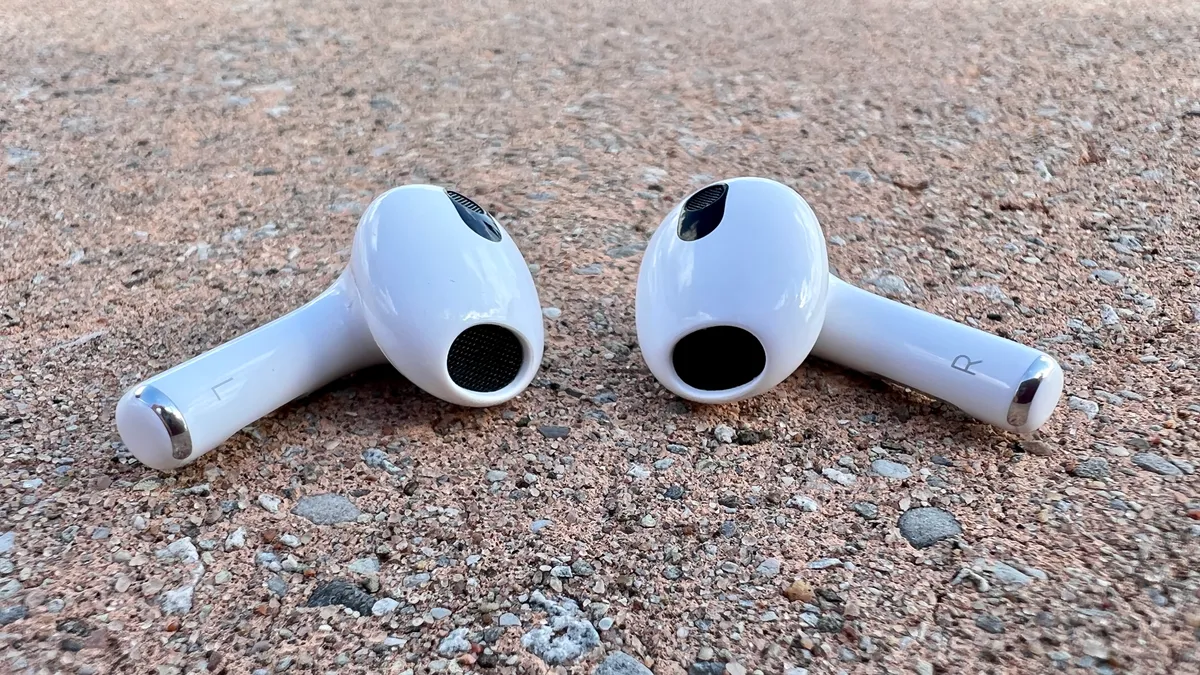
The third-generation AirPods, released in 2021, are the first standard AirPods to include sweat and water resistance with an IPX4 rating.
- IPX4 means they can withstand light splashes from any direction.
- They’re suitable for light exercise or short exposure to drizzle, but not for swimming or showering.
It’s also worth noting that the charging case is not water-resistant, so keep it dry at all times.
3. AirPods Pro (1st and 2nd Generation)
Both the AirPods Pro (1st Gen) and AirPods Pro (2nd Gen) feature IPX4 water resistance for the earbuds and charging case.
That means:
- They can handle sweat and splashes during a workout.
- You should never submerge them in water.
- After exposure to moisture, you should wipe them dry immediately.
AirPods Pro are ideal for active users because of their snug fit, active noise cancellation, and improved sweat resistance.
4. AirPods Max
The AirPods Max, Apple’s over-ear headphones, have no official water or sweat resistance rating. They are not designed for workouts or rainy conditions. The internal electronics and soft ear cushions can absorb moisture easily, which can lead to long-term damage.
Always store AirPods Max in a dry place and never wear them in damp environments.
What Happens If Your AirPods Get Wet
If your AirPods accidentally get wet, don’t panic—but act quickly. Moisture can cause electrical shorts and corrosion if not handled properly.
Here’s what to do:
1. Wipe Them Dry Immediately
Use a soft, dry, lint-free cloth to remove any visible water. Do not use heat, a hairdryer, or compressed air, as this can damage internal components.
2. Leave Them to Dry Naturally
Place your AirPods in a dry environment at room temperature for at least 24 hours. You can also use silica gel packets to absorb moisture faster.
Avoid using rice—it can leave small dust particles inside the AirPods.
3. Don’t Charge Wet AirPods
Never place wet AirPods or their case on charge. This can cause permanent damage to the battery and charging connectors. Wait until both the earbuds and case are completely dry.
4. Check for Functionality
Once dry, test your AirPods by connecting them to your device and playing audio. If one side sounds muffled, it could still have moisture trapped inside the speaker mesh. In that case, leave it to air dry for another 24 hours.
IP Ratings Explained: What Does IPX4 Mean?
The IP rating (Ingress Protection) measures how resistant a device is to solids and liquids. For AirPods, the key part is the second number:
- IPX0 – No water resistance
- IPX4 – Protection from light splashes and sweat
- IPX7 – Can handle immersion up to 1 meter (usually found in sports earbuds, not AirPods)
Apple’s AirPods with an IPX4 rating can handle everyday splashes, but they are not built for submersion or prolonged exposure.
How to Keep Your AirPods Safe from Water Damage
Even though some AirPods are water-resistant, you should still take precautions to protect them.
Here are a few smart habits to keep your AirPods working perfectly:
- Avoid using them in heavy rain or while swimming.
- Store them in a dry case when not in use.
- Wipe them down after workouts to remove sweat or moisture.
- Keep the charging case dry—it’s not water-resistant even if the earbuds are.
- Avoid placing them in pockets with wet clothes or near drinks.
These small habits can extend your AirPods’ life and prevent costly repairs.
Can You Use AirPods in the Shower?
No, you should never use AirPods in the shower, even if they are water-resistant. Hot water, steam, and soap can all damage the electronic components inside. The moisture from steam is especially harmful because it can seep into the speaker grills and charging contacts.
If you want waterproof earbuds for shower use or swimming, look for dedicated IPX7 or IP68 sports earbuds from brands like JBL, Jabra, or Sony.
What About Sweat Resistance for Workouts?
If you use your AirPods for exercise, AirPods Pro or AirPods (3rd Gen) are the safest choices. Their IPX4 resistance protects against sweat during gym sessions, jogging, or cycling.
After your workout, it’s important to:
- Wipe your AirPods with a clean cloth.
- Leave them out to air dry before putting them back in the case.
Sweat contains salt, which can corrode internal components if left for too long.
How to Check If Your AirPods Have Water Damage
Apple doesn’t include water-damage indicators on AirPods, so there’s no easy way to know immediately. However, you can look for these warning signs:
- One earbud sounds quieter than the other.
- Crackling or distorted audio.
- Charging issues or failure to connect.
- The microphone stops picking up your voice clearly.
If you notice any of these symptoms after exposure to moisture, it’s best to visit an Apple Store or contact Apple Support for repair options.
Does Apple’s Warranty Cover Water Damage?
Unfortunately, Apple’s limited warranty does not cover water or moisture damage for any AirPods model. Even if your AirPods are water-resistant, they are not designed for long-term exposure.
However, if you purchased AppleCare+, you may be eligible for discounted replacements for accidental damage. Always check your coverage details through your Apple ID account or Apple Support.
Conclusion: Protecting Your AirPods from Water
So, are AirPods waterproof? The simple answer is no—but some models are water-resistant. AirPods (3rd Gen) and AirPods Pro can handle light splashes and sweat, while earlier models cannot.
The best way to keep your AirPods safe is by using them responsibly: avoid water, dry them immediately if they get wet, and never charge them while damp.
With proper care, your AirPods can deliver clear sound, smart features, and reliable performance for years—just remember that water and electronics never mix.